Advance Steel is built on AutoCAD. It’s an AutoCAD “vertical”: the full AutoCAD program with structural steel detailing tools added on top, sold as one product. So it isn’t really Advance Steel versus AutoCAD. If you have Advance Steel, you also have AutoCAD, and you don’t need a separate AutoCAD license.
The real question is what Advance Steel adds, and whether you need it or plain AutoCAD is enough. Below I go through what each one does, a side-by-side comparison, what carries over from AutoCAD, what works differently, how files move between the two, and when AutoCAD alone does the job.
Does Advance Steel include AutoCAD?
Yes. Since Advance Steel 2018, it has included the AutoCAD core, and you don’t need AutoCAD installed or licensed separately. All the regular AutoCAD functions are there. Switch the workspace if you want the standard AutoCAD ribbon, and the Advance Steel install also puts a separate shortcut in the Windows Start menu to launch plain AutoCAD.
Advance Steel is also part of Autodesk’s AEC Collection, together with AutoCAD and Revit, if you need more than one of them.
What is AutoCAD used for?
AutoCAD is Autodesk’s general CAD program. It’s used for 2D drafting and 3D modeling in almost every industry: architecture, engineering, manufacturing and more. It gives you lines, arcs, polylines, blocks, layers, dimensions and a basic 3D solid modeler.
It knows nothing about steel, though. To AutoCAD, a W12x26 is just a shape you drew. It doesn’t know its weight, its material, that it has a part mark, or that the clip angle at its end belongs to it.
What does Advance Steel add to AutoCAD?
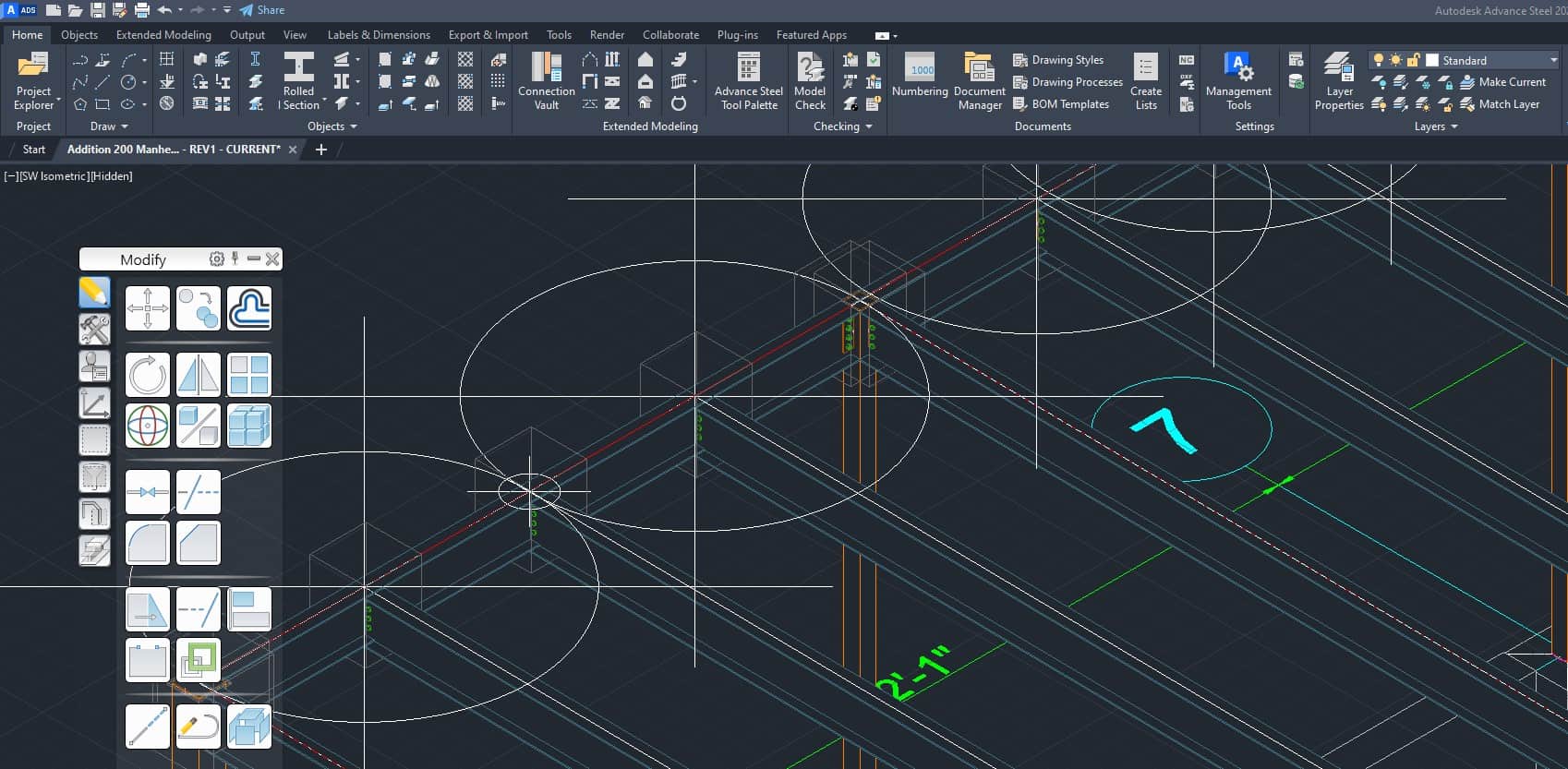
Advance Steel is Autodesk’s structural steel detailing software. On top of AutoCAD, it adds:
- Steel objects from real section catalogs: beams, columns, plates, bolts, welds and anchors
- Parametric connections (joints) that update when members change
- Tools for stairs, railings, ladders, frames, purlins and grating
- Numbering of parts and assemblies
- Automatic shop drawings, erection drawings and a bill of material
- DSTV NC and DXF output for the fabrication shop
- Exchange with Revit, IFC and other programs
A beam in Advance Steel knows its section, material, length, weight and part mark. That’s the big difference. You can find the weight and center of gravity of the whole model in a couple of clicks, or pull a BOM straight from the model.
Advance Steel vs AutoCAD: side-by-side comparison
| AutoCAD | Advance Steel | |
|---|---|---|
| What it is | General 2D/3D CAD | AutoCAD plus steel detailing tools |
| Steel sections | You draw them | Picked from AISC and other catalogs |
| Connections | Drawn by hand | Parametric joints from the Connection Vault |
| Shop drawings | Drawn by hand, one by one | Generated from the model |
| Bill of material | Counted by hand | Generated from the model |
| Revisions | Fix every affected drawing by hand | Change the model, update the drawings |
| NC/DXF for CNC machines | Drawn by hand | Exported from the model |
| File format | DWG | DWG |
| Includes AutoCAD | n/a | Yes |
What carries over from AutoCAD?
Almost everything you know about AutoCAD still works:
- Snaps, tracking and the UCS. My post on the UCS in Advance Steel covers the steel-specific side.
- Move, Copy, Rotate, Mirror, Array and Stretch, used on steel objects
- Layers, viewports and the Properties palette
- Plain 2D drafting whenever you need a quick sketch, a note or a detail Advance Steel doesn’t generate
I keep a short list of the AutoCAD commands that are handy in Advance Steel.
What works differently in Advance Steel?
If you come from AutoCAD, these are the things to get used to:
- Model first, then drawings. You don’t draw shop drawings. You build a 3D model and the drawings come from it. If a drawing is wrong, fix the model and update the drawing, instead of editing lines on the drawing.
- Smart objects. Steel objects have properties. Double-click a beam and you get a dialog with section, material, coating and so on, not just the AutoCAD properties.
- Don’t explode steel objects. Exploding an Advance Steel object turns it into plain AutoCAD geometry and it loses its steel information: no mark, no BOM line, no shop drawing.
- Numbering matters. Part marks come from numbering, so you run it before drawings and again after changes. See numbering the structural model.
- Drawing styles and templates. How the drawings look is controlled by styles and prototypes, not by drafting each sheet.
Can AutoCAD open Advance Steel files?
Yes. The model and the drawings are DWG files. Generated drawings can be opened in plain AutoCAD by someone who doesn’t have Advance Steel, like an architect, engineer or general contractor. To see the steel objects in a model file properly, AutoCAD users can install the free Advance Steel Object Enabler. Without it, they may see proxy objects. I cover the details in opening Advance Steel drawings in AutoCAD.
Going the other way works too. A 2D AutoCAD plan from an architect can be attached as an Xref in Advance Steel, and you model the steel on top of it.
Is AutoCAD enough for steel detailing?
For a few simple pieces, yes. A single plate, a small bracket or a quick sketch for the shop is fine in plain AutoCAD.
Once you have a building with dozens of members, connections, revisions and a BOM to keep in sync, drawing it all by hand gets slow and easy to get wrong. Every change means fixing several drawings and recounting the material list. In Advance Steel you change the model and update the drawings, and the BOM and NC files follow.
A simple way to decide:
- AutoCAD alone: occasional one-off parts, 2D details, no BOM or CNC files needed.
- Advance Steel: buildings, stairs and rails, anything with many similar parts, frequent revisions, or CNC output for the shop.
Is Advance Steel harder to learn than AutoCAD?
It’s more to learn, because you’re learning AutoCAD plus steel detailing. But if you already know AutoCAD, the interface, the commands and the way you move around the model are familiar. What’s new is the steel side: objects and their properties, joints, numbering, drawing styles and output.
A good way to start is to build a small structure step by step. My Advance Steel mini tutorial series does exactly that, and you’ll see how much of your AutoCAD knowledge carries straight over. For the bigger picture, read what Advance Steel is and what it does.
How does Advance Steel compare with other programs?
If you’re choosing detailing software, these comparisons may help: