
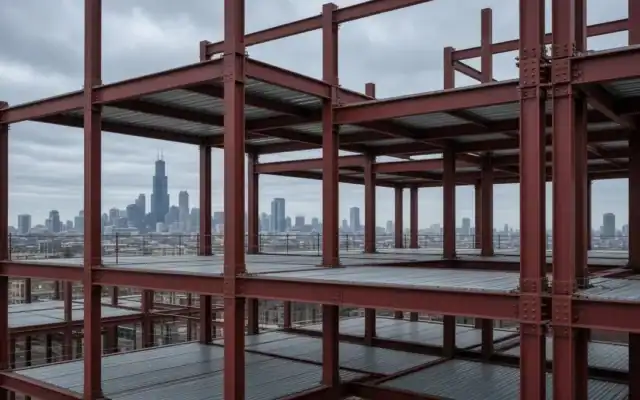
Measure Up! is a free construction estimating game you play in your browser. Mr. Art shows up at Lakeshore View Tower, an abandoned high-rise in Chicago. The previous contractor walked off the job. Your job is to climb the building, verify the unfinished work, and submit the completion bid before the five-minute deadline. It works on a computer and on a phone, with no download and no account.
What is Measure Up!?
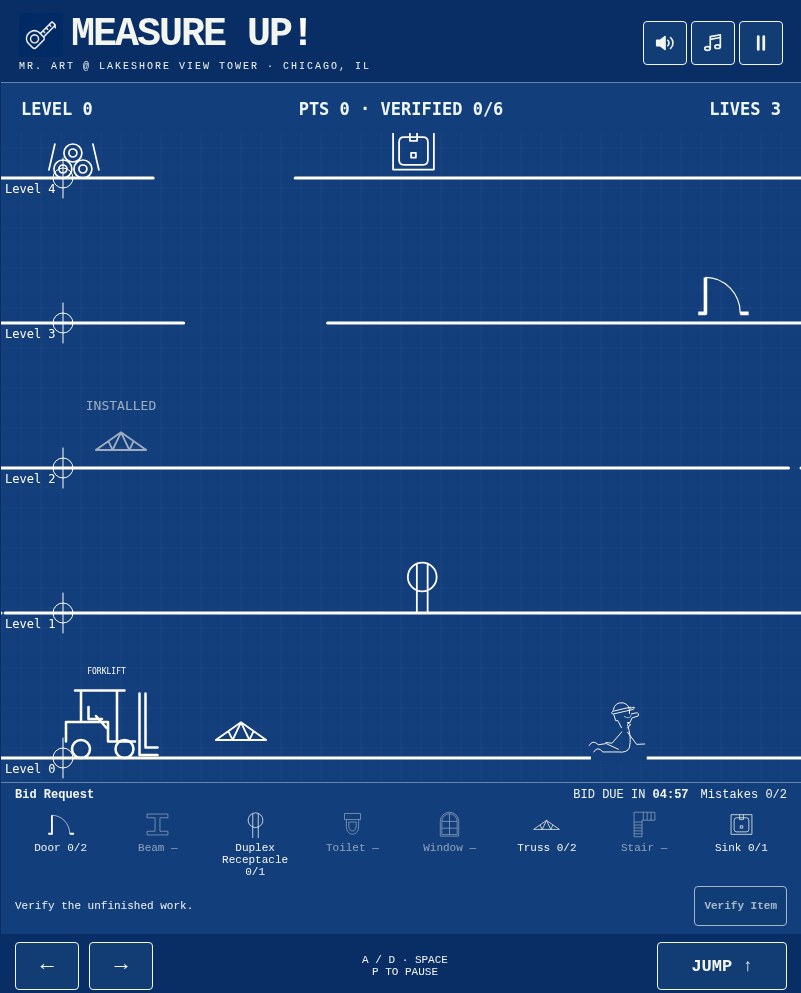
Measure Up! is a platform game drawn like a structural drawing: white lines on blueprint blue, with floor levels marked the way they are on a real set of drawings. Each floor has an opening. You jump up through the openings, walk into the items you need to count, stay away from the job-site hazards, and when every quantity on the bid request is verified, you submit the estimate.
When you submit, the game builds a real-looking estimate sheet: quantities, unit prices, allowances, markup and a total bid. You can print it or download it as a PDF.
The story: from Road ’74 to the project site
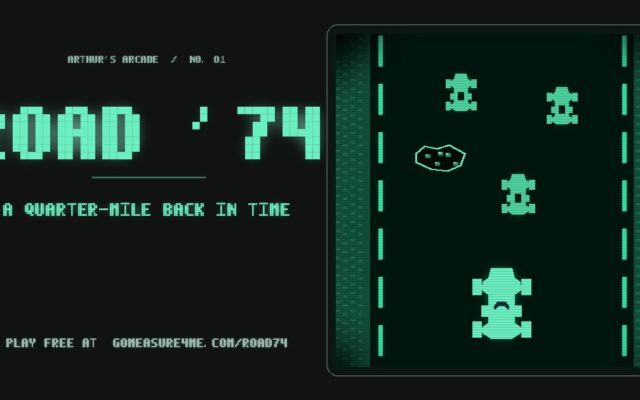
This is the second half of the story. In Road ’74, Mr. Art races down Lake Shore Drive with 90 seconds to reach the project site. Measure Up! starts when he gets there. Traffic is behind him. Now it’s the tape measure, the drawings and the bid due date.
The idea came from an old favorite: the ZX Spectrum classic Jumping Jack, where you jump up through gaps in the floors. Measure Up! takes that climb and turns it into a job-site walk with a bid due at the end.
If you haven’t played the first part, start with Road ’74.
What V.I.F. (verify in field) really means
Drawings show what is supposed to be built. V.I.F., short for “verify in field”, means going to the building and checking what is really there. On a new job that means checking dimensions, elevations and existing conditions before anything gets fabricated. On a job somebody else walked away from, it also means finding out what’s finished and what isn’t.
That second case is exactly what Measure Up! is about. You can’t price a completion bid from the original drawings alone, because part of the work is already in. If you price work that’s already installed, your number is too high and you lose the job. If you miss work that isn’t done, your number is too low and you eat the cost. So you walk every floor and count.
On drawings you will most often see “V.I.F.” (verify in field) next to a dimension. It means: don’t trust this number, go measure it. A lot of estimating and detailing comes down to knowing which numbers to go check. If you want to see how floor elevations work on a real steel model, I wrote about setting global datum levels in Advance Steel.
What goes into a steel estimate
A steel estimate is not just “weight times a price.” A full one usually covers:
- Takeoff: counting and measuring every piece from the drawings and the field: beams, columns, stairs, lintels, embeds, railings and so on.
- Material: what the steel and the parts cost.
- Shop labor: cutting, drilling, fitting, welding, painting.
- Detailing: the shop drawings that tell the shop what to build.
- Delivery and erection: getting it to the site and putting it up.
- Equipment: cranes, lifts, welders, whatever the job needs.
- General conditions: mobilization, protection, cleanup.
- Markup: overhead and profit on top of cost.
- Exclusions and qualifications: what you are not including, in writing.
- The due date: a perfect bid that comes in late is worth nothing.
Measure Up! keeps the same structure in a simpler form. You verify the quantities, the game applies unit prices, adds allowances and markup, and gives you a total bid. Same idea, five minutes instead of five days.
How to play Measure Up!
- Open gomeasure4me.com/measureup.
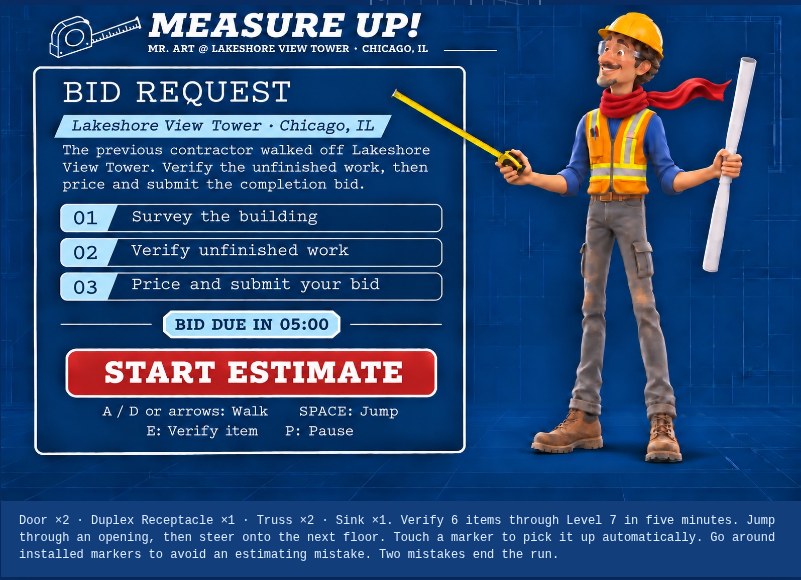
- Read the Bid Request. Under it you’ll see exactly what to count, for example “Door ×2 · Duplex Receptacle ×1 · Truss ×2 · Sink ×1,” and how high in the building you need to go.
- Press START ESTIMATE. The five-minute bid clock starts.
- Walk to the opening in the floor above, jump through it and land on the next level.
- Walk into each item you need. It gets verified automatically and checked off on the bid request bar at the bottom.
- Go around items marked INSTALLED. That work is already done. Counting it is an estimating mistake.
- When every quantity is verified, press Submit Estimate before the clock runs out.
Controls on a computer
- Walk: A and D, or the Left and Right arrows
- Jump: Space bar
- Verify item: automatic when you walk into it. You can also press E or the Verify Item button.
- Pause: P or the Ⅱ button
- Sound and music: separate buttons at the top. The game remembers your music setting.
Controls on a phone or tablet
- Use the ← and → buttons to walk, and JUMP ↑ to jump.
- Walk into items with the movement buttons to pick them up.
- On touch screens the game goes fullscreen when you start. There is a button to exit fullscreen.
The rules that decide your bid
- Bid clock: 5:00. If time runs out before you submit, you get “Bid Deadline Missed.”
- Pausing does not stop the clock. The game tells you straight: “The bid deadline is still counting down.” Same thing if you switch tabs. Just like a real bid date.
- Mistakes: you can make one. Counting an INSTALLED item is a mistake. Two mistakes and the bid is ineligible (“Estimate Incomplete”).
- Lives: 3. Getting hit by a hazard costs a life and sends you back down to Level 0. Your verified items stay verified. Lose all three and the estimate is incomplete.
- Falling: if you drop through an opening to a lower floor, Mr. Art lands on his back for a couple of seconds. No life lost, just time.
- Bumping your head: jump into the underside of a slab and Mr. Art sits down for a second and a half. Also just time.
- Points: 100 for each verified item. They show at the top as PTS.
Items you count
Each bid request is random and picks from eight items, drawn like drawing symbols: Door, Steel beam, Duplex Receptacle, Toilet, Window, Truss, Stair and Sink. A bid asks for four kinds of items, with some needed twice, so 6 or 7 items in total. There is one item per floor, and two of the floors have an INSTALLED item mixed in to test you.
Job-site hazards
On a normal bid you will run into these:
- Forklift on the ground floor (Level 0). It drives back and forth. Get hit and you lose a life.
- Rolling pipe on Level 4. It rolls along the floor. Get hit and you lose a life.
- Loose cable on Level 8, if your bid goes that high. It trips Mr. Art for a moment but doesn’t cost a life.
The tower keeps going above the bid levels, and the higher floors have more job-site trouble: an inspector, loose decking, welding sparks, a swinging I-beam, a swaying scaffold, a missing dimension, a Rev. 2 drawing that shifts the openings, a low bidder who grabs markers, a falling wrench, a scissor lift, a crane hook and a change order that wipes your points. You don’t need to go up there to finish a bid. It’s there if you want to explore.
Real job sites have real hazards too. If you run a crew, my list of 52 toolbox talk topics for steel contractors is a good place to start.
The estimate sheet
When you submit, you get a Completion Bid Estimate for Lakeshore View Tower. It lists each item with quantity, unit price and amount, then adds:
- Equipment allowance: $850
- Mobilization: $650
- Site protection & cleanup: $350
- Markup: 15%
It also shows a bid reference number, how long you took, how much time was left, and the highest level you reached. You can Print it or Download PDF.
The unit prices in the game are illustrative, not real pricing: Door $1,450, Steel beam $3,800, Duplex Receptacle $185, Toilet $760, Window $1,250, Truss $5,200, Stair $6,800, Sink $540.
Here’s how the math works on the bid request in the screenshot above (Door ×2, Duplex Receptacle ×1, Truss ×2, Sink ×1):
- Doors: 2 × $1,450 = $2,900
- Duplex Receptacle: 1 × $185 = $185
- Trusses: 2 × $5,200 = $10,400
- Sink: 1 × $540 = $540
- Field subtotal: $14,025
- Plus allowances ($1,850): $15,875
- Plus 15% markup ($2,381.25): Total bid $18,256.25
That’s the same order a real estimate follows: quantities first, then unit costs, then general conditions, then markup.
Tips to win the bid
- Read the bid request before you press Start. The clock doesn’t run on the bid request screen, so know what you’re counting first.
- Look for the INSTALLED label. Installed items are faded and labeled. Walk around them or jump over them. You can afford only one mistake.
- Time your jumps with the openings. The openings slide side to side. Stand where the opening is going to be, then jump.
- Don’t jump under solid slab. Hitting your head costs you time.
- Don’t fall back down. Watch your step near an opening on the floor you’re standing on. Falling costs more time than waiting.
- Use the edges. Walk off one side of the screen and you come out on the other. Sometimes that’s the quickest way to the next opening or around a hazard.
- Respect the forklift and the rolling pipe. Watch which way they’re moving and pass behind them.
- Don’t pause to think. The deadline keeps counting while paused.
- Submit the moment everything is verified. The Submit Estimate button appears as soon as your quantities match. Don’t go exploring first.
Measure Up! FAQ
Is Measure Up! free?
Yes. It plays free in your browser. No download, no account.
Does it work on a phone?
Yes. Use the ← → buttons to walk and JUMP ↑ to jump. On touch screens it opens fullscreen when you start.
How long do I have?
Five minutes from the moment you press START ESTIMATE.
Does pausing stop the clock?
No. The bid deadline keeps counting while the game is paused.
What is an INSTALLED item?
Work that’s already done. It’s faded and labeled INSTALLED. Don’t count it. Counting it is a mistake, and two mistakes end the bid.
What happens if I lose a life?
Mr. Art goes back to Level 0, but the items you already verified stay verified. You have three lives.
How do I win?
Verify every item on the bid request, don’t count any installed work, and press Submit Estimate before the clock hits zero. Then you get “Estimate Submitted” and your estimate sheet.
Is every game the same?
No. Each new bid request picks a different mix of items and quantities.
Are the prices real?
No. They are illustrative game prices in US dollars. The structure of the estimate (quantities, unit prices, allowances, markup) is how a real one is built, but don’t use these numbers on a real job.
Can I save my estimate?
Yes. After you submit, use Print or Download PDF.
Do I need to play Road ’74 first?
No, but it’s the first part of the story. Road ’74 gets Mr. Art to the site. Measure Up! is what happens when he gets there.
Is this a real estimating tool?
No, it’s a game. For real tools and resources, take a look at My Toolbox.
Comments