
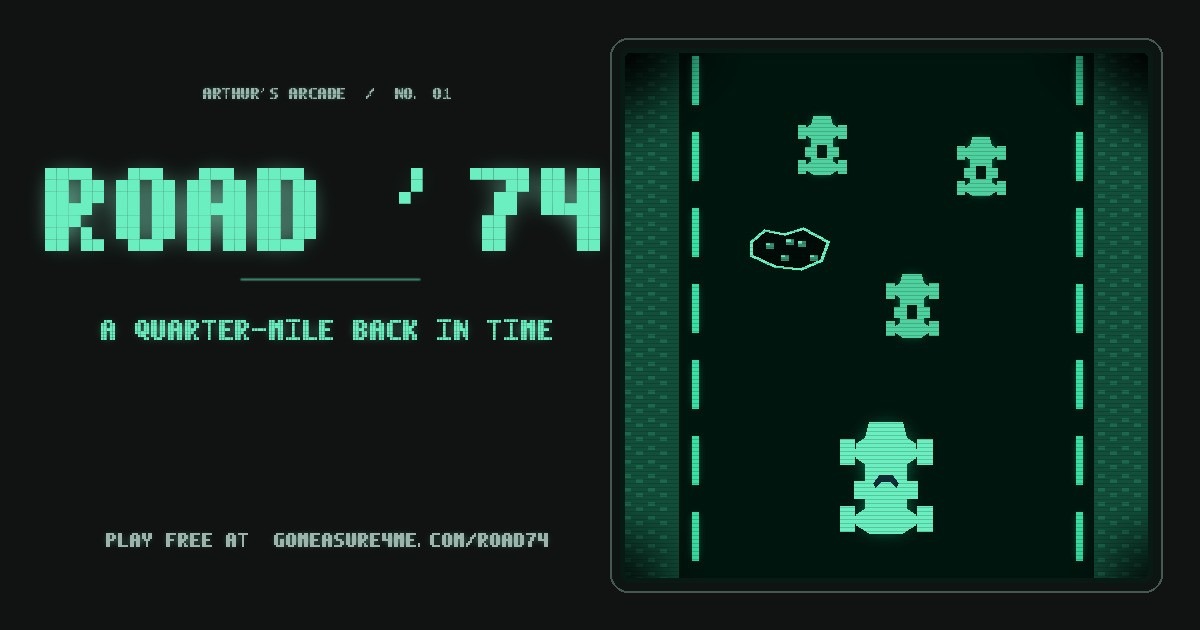
Road ’74 is a free retro racing game you play right in your browser. You drive Mr. Art down Lake Shore Drive for 90 seconds, pass as many cars as you can, stay out of the potholes, and get to the project site in one piece so the field measurements can start. No download, no account, no sign-up. It works on a computer and on a phone.
What is Road ’74?
Road ’74 is a short top-down racing game drawn in the glowing one-color, black-background look of the very first overhead arcade racers from 1974. One road, one car, one clock. You hold the gas, steer between lanes, and pass traffic. Every car you pass puts points on the board. Three crashes and the run is over.
It is also the first half of a two-part story on this site. In Road ’74 you are racing to the job. In Measure Up! you have arrived, and now you walk the building and build the estimate.
The story: rushing to the project site
Every estimator knows the feeling. The bid is coming up, the drawings don’t tell you everything, and somebody has to go out and see the job for real. Mr. Art has 90 seconds to get through Lake Shore Drive traffic and reach the project site. The tape measure comes out after he parks. Not before.
The Lake Shore Drive part is a Chicago twist I added for fun. The original 1970s arcade games had no real-world route, so this is a fictional mission on a road every Chicagoan knows.
How to play Road ’74
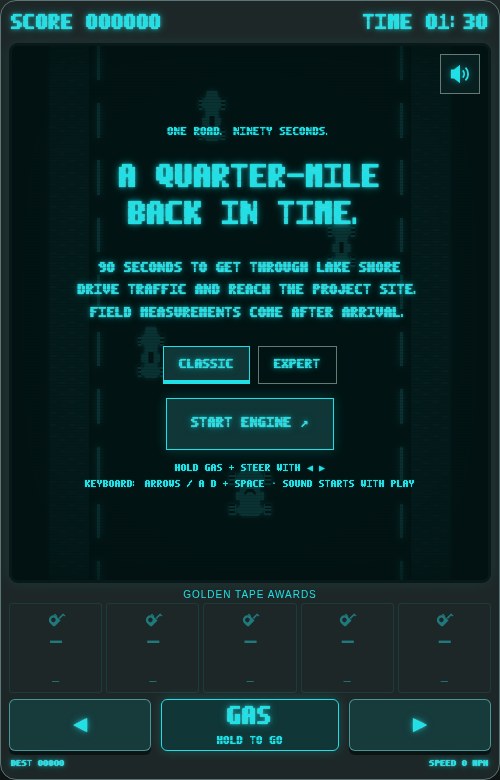
- Open gomeasure4me.com/road74.
- Pick a mode: Classic (quieter road) or Expert (more traffic).
- Press START ENGINE.
- Hold GAS to speed up and steer left and right to pass cars.
- Survive the full 90 seconds. Three car crashes end the run early.
Controls on a computer
- Gas: Up arrow or Space bar (hold it down)
- Steer: Left and Right arrows, or A and D
- Pause: P, Esc, or the Ⅱ button in the top left corner of the road
- Sound: the speaker button in the top right corner. Sound starts when you start playing.
Controls on a phone or tablet
- Hold the big GAS button in the middle.
- Tap or hold ◀ and ▶ to steer.
- On supported mobile browsers, START ENGINE opens the game in fullscreen. If you leave fullscreen, the race pauses so you don’t crash while you’re not looking. Browsers without fullscreen just play normally.
- On phones that support it, you feel a short buzz when you bump a car or hit a pothole.
The game also pauses itself if you switch tabs or apps, so a phone call won’t ruin a good run.
How scoring works
Here is exactly how the points are counted, so you know what to go after:
- You only score by passing cars. A pass counts when a car that was in front of you drops behind you.
- Each pass is worth 50 points plus your speed in MPH. Pass a car at 40 MPH and you get 90 points. Pass it at the 120 MPH top speed and you get 170. Speed almost doubles your points.
- Cars that pass you don’t count, and neither does a car you crashed into.
- A crash (“BUMP!”) drops you to almost a full stop and counts as one of your three crashes. You get about a second and a half of protection after a bump so you can get going again.
- A pothole takes about a third of your speed away. It does not count as a crash.
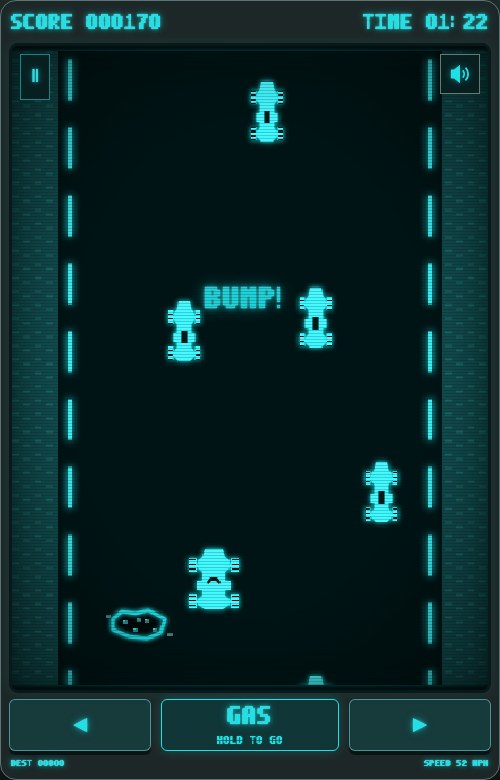
At the end you see your points, how many cars you passed, how many bumps, and how many potholes you hit.
The Golden Tape Measure award
Finish all 90 seconds with zero car crashes and you earn the Golden Tape Measure. Potholes slow you down, but they never take the award away. Your award shows up in the Golden Tape Awards row under the road.
Best score and top five
Your best score and your top five runs are saved on your own device, in your browser. If a run makes your top five, you can type a short name (up to 4 characters) or skip it. There is no account and no online leaderboard. That also means your scores stay on the device and browser where you played.
Tips for a high score
- Keep your foot down. Points depend on speed, so passing at 120 MPH pays almost twice as much as passing slow. Let off only when you are boxed in.
- Don’t trade crashes for points. A bump drops you to a crawl, and getting back up to speed costs you a lot of passes. Three bumps and you’re done.
- Watch for lane changes. Traffic changes lanes, especially when a slower car is ahead of it. Give yourself room when two cars are close together.
- Read the road ahead for potholes. They show up one at a time, you can see them from far away, and there is always a clear lane next to them. Move early, not at the last second.
- Use the whole road. Five lanes of traffic means there is usually a gap somewhere. Look for it before you get to the cars.
- Learn on Classic, score on Expert. Expert sends more traffic. More cars means more passes and more points, if you can keep from bumping.
- Go for the Golden Tape Measure first. A clean run teaches you the timing. Then push the speed.
The 1970s arcade look behind Road ’74
Road ’74 tips its cap to Speed Race, the 1974 Taito arcade game designed by Tomohiro Nishikado. Midway brought it to North America as Wheels and Racer in 1975, and Midway’s 1975 sales flyer lists Schiller Park, Illinois, which gives it a real Chicago-area connection. Wikipedia reports about 10,000 U.S. cabinets sold across Wheels and Wheels II combined.
That’s where the look comes from: a single glowing color, a straight road seen from above, and simple car shapes. The glow, the engine sound, and the “quarter-mile back in time” line are all part of that vibe.
Road ’74 is an original tribute. It is not the original game and not an official Taito or Midway release.
Next: Measure Up!
You made it to the site. Now the real work starts. In Measure Up! Mr. Art walks into Lakeshore View Tower, an abandoned Chicago high-rise, climbs floor by floor to verify the work that’s left, and has five minutes to price it and submit the bid.
Road ’74 FAQ
Is Road ’74 free?
Yes. It’s free to play in your browser. No download, no account, no sign-up.
Does it work on a phone?
Yes. Use the on-screen GAS button and the ◀ ▶ buttons. On supported mobile browsers it opens fullscreen when you press START ENGINE.
How long is one game?
90 seconds, unless you crash three times first.
What ends the game?
Running out the 90-second clock, or three car crashes. Potholes never end the game.
What’s the difference between Classic and Expert?
Classic is a quieter road. Expert sends more traffic. Scoring rules are the same in both.
How do I get more points?
Pass more cars, and pass them faster. Each pass is worth 50 points plus your current speed in MPH.
How do I earn the Golden Tape Measure?
Finish all 90 seconds without a single car crash. Pothole hits are allowed.
Where is my high score saved? Is there a leaderboard?
Your best score and top five runs are saved in your browser on your device. There’s no online leaderboard, and if you clear your browser data, the scores go with it.
Can I pause?
Yes. Press P or Esc, or tap the Ⅱ button. The game also pauses when you switch tabs or apps.
Is there sound? Can I turn it off?
Yes, there is engine and crash sound. Use the speaker button in the top right corner of the road to turn it on or off.
Is this the original Speed Race or Wheels game?
No. Road ’74 is an original tribute inspired by those 1970s overhead racers. It is not an official Taito or Midway product.
How does Road ’74 connect to Measure Up!?
Road ’74 gets Mr. Art to the project site. Measure Up! is what happens when he gets there: field measurements and the bid.

Comments