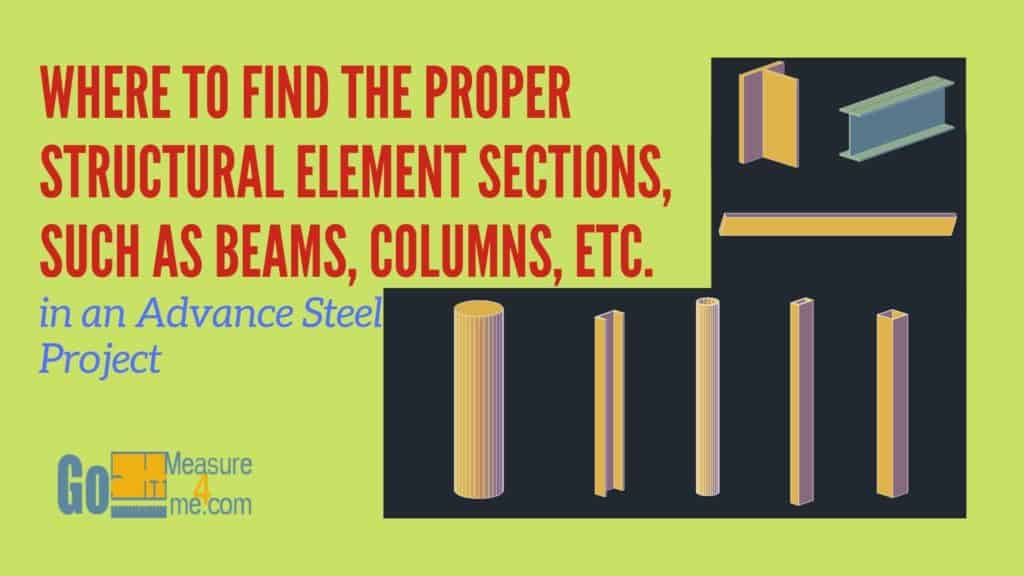
In Advance Steel, you pick a section in the beam’s properties dialog: choose the section class (I Sections, Rectangular Hollow Sections, Channels and so on), then the standard (for US work, the AISC library), then the size. The hard part is knowing which class each shape is filed under. W beams are under I Sections, HSS under Rectangular or Circular Hollow Sections, and tees under T-Sections.
Below is where each common AISC shape lives in Advance Steel, what the section names mean, and what to do when a size isn’t in the list. Click a shape to jump to it.


How do I pick a section in Advance Steel?
When you place a beam or column, the properties dialog opens. On the section tab, pick the section class first, then the library (standard), then the size. You can change it the same way later: double-click the member to open its properties and pick a different section.
The AISC library names below say AISC 14.1. Your version may show a newer AISC database name.
Quick reference: where is each AISC shape?
| Shape | AISC designation example | Where in Advance Steel |
|---|---|---|
| Wide flange beam or column | W12x26 | I Sections > AISC 14.1 |
| Square HSS | HSS6x6x3/8 | Rectangular Hollow Sections > AISC 14.1 HSS Square |
| Rectangular HSS | HSS8x4x1/4 | Rectangular Hollow Sections > AISC 14.1 HSS Rectangular |
| Round HSS | HSS6.625×0.280 | Circular Hollow Sections > AISC 14.1 HSS Pipe |
| Standard pipe | Pipe4Std | Circular Hollow Sections > AISC 14.1 HSS Pipe Std |
| Channel | C10x15.3 | Channels > AISC 14.1 Channel |
| Miscellaneous channel | MC8x8.5 | Channels > AISC 14.1 MC Channel |
| Tee | WT6x13 | T-Sections > AISC 14.1 WT (Imperial) |
| Round bar | 1″ dia. | AISC Round Bar RB > AISC Round Bar |
| Square bar | 1″ sq. | See the dialog below |
| Flat bar | 3″x3/8″ | See the dialog below |
Where are W beams and columns (I sections)?
Section > I Sections > AISC 14.1

Where are square and rectangular HSS?
Square: Section > Rectangular Hollow Sections > AISC 14.1 HSS Square
Rectangular: Section > Rectangular Hollow Sections > AISC 14.1 HSS Rectangular

Where are round HSS and pipe?
Circular Hollow Sections > AISC 14.1 HSS Pipe
Circular Hollow Sections > AISC 14.1 HSS Pipe Std

Where are C and MC channels?
Channels > AISC 14.1 Channel
Channels > AISC 14.1 MC Channel

Where are round bars?
AISC Round Bar RB > AISC Round Bar

Where are square bars?
Here’s the section dialog for square bars:

Where are WT, MT and ST tees?
T-Sections > AISC 14.1 MT (Imperial)
T-Sections > AISC 14.1 ST (Imperial)
T-Sections > AISC 14.1 WT (Imperial)

Where are flat bars?
Here’s the section dialog for flat bars:

What do d, bf, tf and tw mean in the section catalog?
Once you’ve picked a section, the catalog lists its properties with short labels. Here’s what the labels mean on a beam and on an angle:

| Label | Meaning |
|---|---|
| d | Overall depth of the beam |
| bf | Flange width |
| tf | Flange thickness |
| tw | Web thickness |
| H | Angle leg height (vertical leg) |
| W | Angle leg width (horizontal leg) |
| t | Angle thickness |
What do AISC section names mean?
The names follow the AISC Steel Construction Manual, so once you know the pattern you can read any of them:
- W12x26: wide flange, about 12 in. deep, 26 lb per foot.
- HSS8x4x1/4: hollow structural section, 8 in. by 4 in., 1/4 in. nominal wall.
- HSS6.625×0.280: round HSS, 6.625 in. outside diameter, 0.280 in. nominal wall.
- Pipe4Std: 4 in. nominal standard-weight pipe. XS and XXS are heavier walls.
- C10x15.3: American Standard channel, 10 in. deep, 15.3 lb per foot. MC is a miscellaneous channel, with a different flange shape.
- WT6x13: a tee cut from a W shape. MT is cut from an M shape and ST from an S shape.
- L4x4x3/8: angle with two 4 in. legs, 3/8 in. thick.
The number after the “x” in W, C and WT names is weight per foot, not a dimension. That trips up a lot of people new to US steel.
What if the section I need isn’t in the list?
First make sure you’re in the right class and library. A W shape won’t show up under the Channels class, and a metric library won’t have AISC sizes. If it’s really missing, sections can be added to the Advance Steel database through Management Tools, but that’s a database change that affects every project, so do it carefully and back up first. For sections that come in from Revit, the section mapping is covered in Advance Steel vs Revit.